

Introduction
When the internet goes down at work, things can unravel fast. Sales slow down, customer support stalls, projects get delayed, and people lose patience. Doesn’t really matter why—it could be your ISP, bad weather, a maintenance mishap, or a cut cable—just a few minutes offline can cause chaos in a day where every task depends on being connected. That’s why MH500C: The Ultimate Portable Backup Internet Solution is becoming an essential tool for businesses that need reliable connectivity and uninterrupted operations.
With so many businesses moving almost everything—files, calls, payments, and meetings—to the cloud, backup internet isn’t a luxury anymore. It’s basic survival. Staying online means you keep serving customers, keep projects moving, and protect your bottom line.
That’s basically what the Horizon Mobile Hotspots MH500C CBRS/5G Hotspot is built for. It’s a portable, powerful hotspot. You get ultra-fast 5G, Wi-Fi 6, CBRS support, and you can connect up to 32 devices at once. So when the main internet dies, you don’t have to wait around or scramble—just power it up and you’re back in business, anywhere.
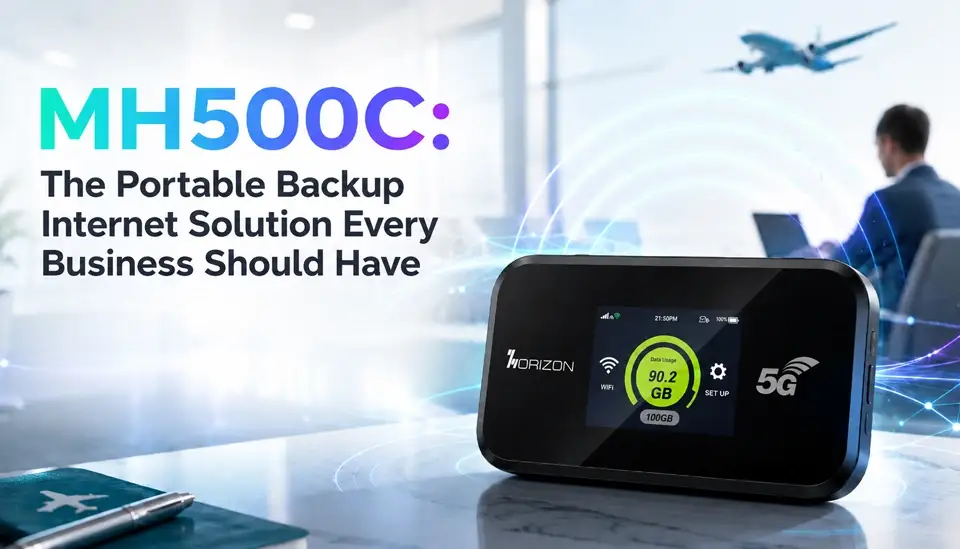
Let’s get into why backup connectivity matters and what makes the MH500C such a practical solution for staying online.
Why Losing Internet Isn’t an Option
Just about everything modern businesses do relies on the internet. Think about it: cloud apps, customer support chats, VoIP calls, video meetings, payment terminals, inventory tracking, remote team work, and security systems. Lose the connection, and any one of those grinds to a halt.
That can mean lost sales, customers who never reach you, stalled projects, frustrated employees, and money out the door. If downtime isn’t something you can afford, you need backup—period.
Common Backup Internet Hassles
- A lot of companies try old-school ways to stay connected. But let’s be honest, they usually let you down just when you need them.
- Just adding a second wired line? Pricey, and if the whole area goes down, you’re out of luck anyway.
- Public Wi-Fi? Maybe in a pinch, but it’s slow, it’s open, and it’s risky if you handle sensitive info.
- Smartphone hotspots? Okay for solo use, but they choke when you connect a whole team or a bunch of devices.
- Some portable routers? Often not fast or secure enough for real business needs.
So what you really want is speed, portability, solid security, and the capacity for your whole team. That’s where the MH500C comes in.
Meet the Horizon MH500C
The MH500C is built for pros, teams on the move, and any business that can’t risk being offline. Here’s what stands out:
- Up to 3.2Gbps 5G downloads
- Qualcomm SDX62 chipset
- CBRS Band 48 (so you can use private networks)
- Dual-band Wi-Fi 6 (AX1800)
- Connects up to 32 devices
- Central device management with Horizon DMS
- Removable, long-lasting battery
- Small and lightweight (easy to toss in your bag)
- Type-C charging
- 3GPP Release 16 support
In short: fast, flexible, and ready when your main connection isn’t.
Get Back Online Fast
One big plus with the MH500C—you can fire it up in minutes. No messy installs, no waiting for IT. Here’s all you do:
- Pop in the Nano SIM
- Switch on
- Connect devices by Wi-Fi 6
- Get back to work
This is huge for small offices, retail stores, clinics, pop-up sites, or teams in the field—anyone who can’t get stuck offline.
Keep Everyone Connected
Your business isn’t one person with a laptop. You’ve got laptops, tablets, phones, printers, POS terminals, cloud apps, security cameras—the whole lot.
With the MH500C, you can hook up to 32 devices. So, instead of juggling multiple hotspots or losing track of connections, everyone stays online through one fast and secure network. It’s simple and much easier to manage, especially during a crisis.
CBRS Connectivity—A Step Up
Here’s a highlight: the MH500C does CBRS. That means you can tap into a private wireless network—faster, less crowded, and much more secure than using busy public LTE.
CBRS lets you:
- Improve performance (no competing with the entire neighborhood)
- Boost security (control who gets on and what they do)
- Get better coverage (great for large properties, warehouses, or campuses)
- Support private LTE and private 5G
If you want next-level reliability and control, CBRS on the MH500C is a real game-changer.
Great for Remote and Temporary Sites
Not everyone works out of a regular office. If you’re at a construction site, a pop-up store, event venue, project trailer, or disaster recovery spot, good luck finding a wired line.
Here’s where having a compact, battery-powered 5G hotspot really pays off. The MH500C weighs just 260 grams, it’s easy to pack, and you can move it anywhere. Your team gets the flexibility to set up shop just about anywhere and still get stuff done.
Business-Grade Security
Nobody wants to risk sensitive data on sketchy public Wi-Fi. The MH500C keeps things secure with:
- Advanced wireless encryption
- Private LTE/CBRS support
- Strong Wi-Fi 6 security
- Controlled access (so you pick who connects)
If you handle customer or financial info, you’ll want those features on your side.
Easy Management at Scale
Managing a lot of devices can get messy. The MH500C comes with Horizon DMS (Device Management System) for centralized control.
You can track usage, troubleshoot issues remotely, roll out updates, and see what’s going on with every device in the field. Makes life easier for IT, and you get better visibility over your mobile network.
Who Benefits Most?
Just about any industry. For example:
- Retail: Keep checkout and inventory live during outages, offer guest Wi-Fi
- Healthcare: Stay connected for calls, records, and scheduling
- Construction: Reliable internet anywhere, even at a new build site
- Education: Power up temporary classrooms and emergency online learning
- Logistics: Real-time tracking and communication, even on the road
Financial Services: Secure access to cloud platforms
If constant connection matters, the MH500C covers your backup needs.
Stay Ready for Surprises
Stuff goes wrong—a storm rolls in, the power flickers, the ISP drops you in the middle of the day. The best time to plan is before it happens.
Solid business continuity means having backup internet, remote comms tools, cloud apps, and a mobile team ready to pivot. The MH500C slots right into that plan—you just pull it out, turn it on, and stay in the game.
Conclusion
Let’s face it: being offline is not an option anymore. Whether it’s your whole office, a single branch, or a pop-up project, staying connected keeps everything moving.
The Horizon MH500C gives you fast 5G, Wi-Fi 6, CBRS, a big battery, management tools, and room for 32 devices—all in one small package. You’re always ready, whether it’s an emergency or just a flaky ISP.
If you want to strengthen your business continuity and never scramble for internet again, reach out to Horizon Powered and see what the MH500C can do for you. Stay connected, no matter what.
FAQs
Q1. What is the Horizon MH500C used for?
The MH500C is a portable 5G and CBRS hotspot designed for business travel, remote work, backup internet, field operations, and enterprise connectivity.
Q2. How many devices can connect to the MH500C?
The device supports up to 32 simultaneous Wi-Fi connections, making it suitable for teams and small workgroups.
Q3. Does the MH500C support CBRS networks?
Yes. The MH500C supports CBRS Band 48, making it compatible with private LTE and private 5G deployments.
Q4. Can the MH500C be used as backup internet for businesses?
Absolutely. It is designed to provide reliable backup connectivity during ISP outages, network failures, and temporary deployments.
Q5. Does the MH500C support Wi-Fi 6?
Yes. The hotspot features dual-band Wi-Fi 6 technology for improved speed, efficiency, and multi-device performance.
Q6. Is the MH500C suitable for remote job sites?
Yes. Its portable design, long battery life, 5G performance, and CBRS support make it ideal for construction sites, field operations, and temporary work locations.
Q7. Can IT teams manage multiple MH500C devices remotely?
Yes. The device supports Horizon DMS for centralized monitoring, management, troubleshooting, and device administration.
Learn more about The Ultimate Portable Backup Internet Solution here.
Related Posts
Mobile Hotspots for Hotels – Reliable Internet Solutions
Best Mobile Hotspot For Road Trip (Cars, RVs, Buses)
Wifi Hotspot For Events (Weddings, Festivals, Fairs)
Best Mobile Hotspots for Trade Shows & Exhibitions
Best Mobile Hotspot for Working Space – Fast & Secure Internet
Why MH07 Is Perfect for Remote Work Travelers and Digital Nomads
Stay Connected Everywhere: How MH07 MiFi Boosts Mobile Internet Access
MH04 vs Public WiFi: Speed and Security Where It Matters the Most
Why MH04 Is Your Ultimate Travel LTE Companion
Why MH500C is Ideal for Seamless Remote Work and Mobile Offices
Mobile Hotspot vs Phone Tethering – Why MH07 is the Way to Go
How MH500C Powers Real-Time Edge Communications
