

Travelling has the habit of disrupting your internet connection at the most inconvenient moments. Horizon MH07 LTE MiFi Hotspot eliminates that, keeping you connected with uninterrupted internet when on the move. It’s secure, lightning-fast, and stable — perfect for emailing, streaming media, or even navigation. This article explores why MH07 ensures continuous road connectivity, what its standout features are, and why it has become a trusted companion for travellers everywhere.
Key takeaways
- Horizon MH07 LTE MiFi Hotspot offers a secure and fast WiFi network with 150 Mbps lightning speed, supporting simultaneous connections of up to eight devices.
- 3700mAh battery delivers 10-12 hours of use, perfect for travellers needing constant internet connectivity without the need for constant recharging.
- Equipped with WiFi 6 technology and a sleek design, the Horizon MH07 simplifies connectivity in everyday situations, from business travel to recreation.
Learn about the horizon MH07 LTE MiFi hotspot
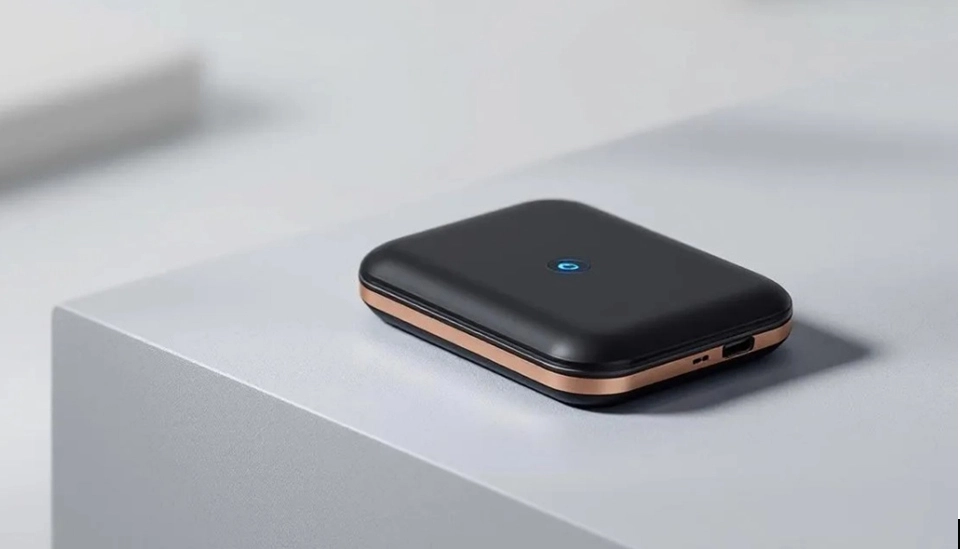
The Horizon MH07 LTE MiFi Hotspot is a revolution in mobile connectivity. It boasts the following features:
- Establishes a secure WiFi network by connecting with a cellular carrier, providing internet access where there is cellular reception.
- Wireless access point support.
- You can share your internet with up to eight WiFi devices at once.
- Your MH07 can be controlled and checked by some app supporting effortless installation, data consumption monitoring, and diagnosis.
The unique aspect of the Horizon MH07 is its support for cutting-edge WiFi 6 technology, which ensures quick and stable connection in densely populated areas. It is a travel device intended to provide an internet connection to traveller smartphones, tablets, laptops, and other WiFi devices.
When configuring and operating the device, the users may be prompted to configure or connect an account to activate the device, control data plans, and employ advanced features.
With its ability to provide a secure WiFi network, you can avoid the risks of public WiFi networks and stay connected with confidence. Do not forget to use a powerful password to enhance security. The users can also access the MH07 admin interface using a web browser in order to change settings, update passwords, and configure the device.
Understanding mobile hotspot technology
Mobile hotspots have changed the way we remain connected, particularly when travelling or working anywhere. Portable devices that tap a cellular signal to deliver internet to several WiFi-equipped devices like smartphones, tablets, and laptops and offer a strong connection wherever you happen to be.
Mobile hotspot technology leverages the capabilities of cellular networks and combines them with embedded WiFi routers. This allows you to connect multiple devices on the internet using just one hotspot, which is great for families, corporate groups, or anyone who needs to remain connected when away from home. Most mobile hotspots, such as the Horizon MH07, come with unlimited data plans, so you can use your internet without worrying about data caps.
Battery life is a major concern—most cell hotspots have decent battery life to have you online through the day and beyond if you’re going on an extended road trip. The WiFi emitted by such equipment is generally safer than public WiFi and can’t be easily cracked or have information pilfered. There’s also an Ethernet connection available on some models so that you can plug in a laptop or other device for even more stable internet access.
Carriers such as T-Mobile and others offer a range of data plans to support different levels of requirements, from minimal web browsing to heavy streaming. When selecting a mobile hotspot, it is worth thinking about the number of devices you will be connecting, the upload speed that you require, and the overall performance in your usual locations—not just in urban areas but in rural areas as well, where conventional internet access might be poor.
It is easy to set up a mobile hotspot: just do what the instructions of the manufacturer indicate and put in your SIM card, switch on the device, and connect your devices to the new WiFi network. With the proper mobile hotspot, you will have fast, safe, and flexible internet wherever your travels may be.
The horizon MH07 LTE MiFi hotspot key features

The Horizon MH07 LTE MiFi Hotspot has a number of advantages that place it on everyone’s travel list. In the first place, it has beautiful download speeds of up to 150 Mbps and upload speeds of up to 50 Mbps to prevent you from being dropped when streaming, browsing, or working. Embedded antennas and TS-9 external antenna compatibility make it provide strong and stable connections even in weak cellular signal areas. Its capacity to locate and establish a firm relationship, automatically choose networks, and sustain constant speeds even under difficult conditions guarantees continuous internet connectivity wherever you are.
One of its best features is its 3700mAh Li-ion removable battery, which offers a 10–12-hour playtime, ideal for those long travel days. Moreover, its ability to accommodate eight devices at the same time makes it a great option for group travel, keeping everybody connected without sacrificing speed. WiFi 6 technology also boosts its speed and range, making Horizon MH07 a cutting-edge mobile hotspot and one of the greatest WiFi hotspots on the road.
Connectivity options with the horizon MH07
- The Horizon MH07 mobile hotspot stands out for its versatile connectivity options, making it a top choice for users who need flexibility and reliability. Whether you’re connecting via WiFi or Ethernet, this device ensures your internet connection is always strong and stable.
- With up to 20 supported connected devices, the Horizon MH07 is ideal for workgroups, families, or anyone juggling multiple devices on the go. With its touchscreen interface, it’s easy to view your connections, change settings, and monitor your data plan—all from the device itself.
- Compatibility is yet another major benefit. The Horizon MH07 supports the top carriers, such as Verizon and T-Mobile, so you can have the data plan that best suits your needs. The integrated SIM card slot allows you to use your current SIM card or get a new one, so you can change carriers or plans if your needs dictate it.
- The WiFi signal of the device is also strong and stable, providing normal coverage even in problem zones. The Ethernet port also provides the option of directly plugging in a laptop or other device, something which could come in handy in dense WiFi areas.
- Security is a top priority with the Horizon MH07. It comes with a pre-set password and provides flexible security features to protect your data and connected devices. And the device itself is unlocked, making you free to change carriers and data plans at will.
- With its wide range of connectivity options, extensive security features, and simplicity of use, the Horizon MH07 cellular hotspot is the ideal device for anyone who needs to remain connected on the move.
The advantages of possessing the horizon MH07 LTE MiFi hotspot abroad
Carrying the Horizon MH07 LTE MiFi Hotspot provides several advantages. It provides you with fast, secure internet access, better battery life, and an extremely portable package. MH07 gives you continuous connectivity even in moments of heavy network use or in load-shedding hit areas, so you have uninterrupted internet connectivity wherever you are.
Before you depart, check your plan to ensure that it does meet your anticipated overseas data usage.
Let us explore these benefits.
Fast and safe internet access
One of the best benefits of the Horizon MH07 is that it will offer a constant and solid internet connection when on the move. As opposed to public WiFi, which is exposed to hackers, the Horizon MH07 boasts a private, secure network that protects sensitive data from being reached by other parties. This is especially important when browsing personal or financial data on the internet.
Moreover, its rapid data transfer capability enables fast internet. It is possible to watch videos, video call, or surf the web when you use this device, which provides limitless data with a stable connection so that you can work and stay connected continuously.
Long-lasting battery life
Long road travels without power sources put battery life in a vulnerable location. Horizon MH07 LTE MiFi Hotspot overwhelms with its 3700mAh battery, giving you 10-12 hours of continuous use without any interruptions. Its battery life on its extended hotspot gives you a longer trip on your drive without constant recharging, giving you an equal battery life.
Seamless internet access during a long-distance flight or a day’s drive is worth its weight in gold. Horizon MH07 provides effortless connectivity to your phone, tablet, or laptop and, hence, is an unwavering travel buddy.
Super-small and super-light design
Travellers’ greatest concern is portability, and the Horizon MH07 LTE MiFi Hotspot does not disappoint. The emphasis areas for portability are:
- Dimensions: 108mm x 67mm x 16mm
- Weight: 105g
Lightweight enough to carry around in your pocket or bag without significant additional weight. Small in size, it assures effortless portability with effective internet connectivity while on the move.
Despite being small in size, the Horizon MH07 is not short on performance. It joins and shares the internet with a maximum of eight devices at once, ensuring all your devices remain connected online. That feature makes it ideal for travellers who want to remain connected without bulky devices.
Optimizing performance while traveling
Improve the performance of your Horizon MH07 LTE MiFi Hotspot while on the move using some basic optimization methods. Understanding network modes, the correct placement of devices, and the utilization of external antennas can significantly enhance your internet experience while travelling.
Choosing the most suitable network mode
Horizon MH07 comes with several network modes, such as TDD-LTE and FDD-LTE. TDD-LTE divides time slots for data transmission and reception and is best suited for application in areas with changing data requirements. FDD-LTE employs dedicated frequency bands for receiving and transmitting data to provide consistent performance in areas with constant connections.
Selecting an appropriate network mode according to data use and local network conditions is very important while roaming. Knowledge of such modes and adjustment accordingly guarantees the best performance and seamless connectivity.
Placement for optimal signal strength
Placing your Horizon MH07 LTE MiFi Hotspot in the proper location is necessary to be able to get a good WiFi signal. Placing the device on higher floors or higher elevations can cause the device to have a better connection to the cell towers and signal. Do not place the device near areas with heavy walls or metal material because these cause the signal to become weak.
For the best result, position the hotspot in an empty room with few pieces of furniture and a clear view of surrounding cell towers. At a high position with less interference, the hotspot will be best positioned to amplify signal strength and provide a good internet connection.
With external antennas
The addition of an external antenna can easily augment the power of the Horizon MH07’s signal, particularly for cellular dead spots. External antennas provide greater range, enabling one to utilize more distant sources of signals, which is highly advantageous in remote areas.
Different external antennas can be used for different usage scenarios, namely omnidirectional and directional. Applying an external antenna can increase data rates, and hence, streaming or gaming can be easily and comfortably enjoyable, coupled with a stable connection.
Security and maintenance recommendations
- Securing your mobile hotspot and keeping it well maintained is necessary to provide the optimal use of a fast, stable, and secure internet connection. Follow these practical suggestions to ensure maximum utilization of the device:
- Always configure a strong, unique password for your WiFi network to restrict unauthorized usage. Don’t use the default password and switch it from time to time for maximum security.
- Regularly update the software and firmware on your device. The company issues updates frequently to patch security vulnerabilities and improve performance, so do this regularly.
- Don’t use public WiFi connections since they expose your data to dangers. Use your mobile hotspot’s secure connection wherever possible.
- To prolong the battery life of your hotspot, switch off unused features and power-saving settings to reduce power consumption. This will make you last longer between charges.
- Ensure your mobile hotspot and all devices it connects to are physically locked. Encrypt and use password protection to safeguard your information and make it unavailable to unauthorized parties.
- Back up important data on a regular basis and use cloud storage to guard against data loss resulting from device failure or security breaches.
Control the performance of your device and adjust settings accordingly in order to achieve optimal speed and connectivity. This is done by seeking out interferences, managing the devices that are connected, and having a data plan that will meet your requirements.
With these security and upkeep guidelines, you can be assured that your mobile hotspot is safe and operating at its highest level so that you can stay connected wherever you go.
Use cases for the horizon MH07 LTE MiFi hotspot
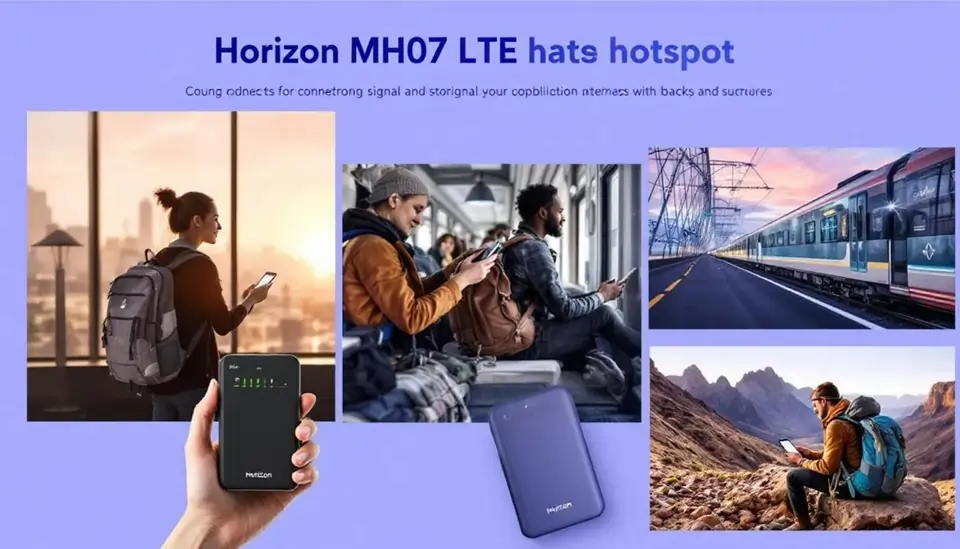
The Horizon MH07 LTE MiFi Hotspot’s multi-purpose use is applicable to a range of circumstances, from home office and remote work to commercial and recreational travel. The MH07 can offer stable internet access for your phone, tablet, or laptop while you are on the go so that you won’t be left out anywhere.
Let’s discuss how this connected device monitor can improve your cellular connection and connectivity in various settings. With a plug, this connected device monitor can improve your cellular connection and connectivity in various settings.
When buying a mobile hotspot, consumers need to compare the data plans, coverage, and features to select what is suitable for travel. Consumers can buy the MH07 at stores such as Best Buy or order it online, making it simple to buy prior to travelling.
Home office and remote work
A portable hotspot such as the Horizon MH07 is invaluable for a trustworthy internet connection in a home office or remote workspace. It enables video conferencing, file sharing, and collaboration software to stay productive and in touch. Committed high-speed internet connection provides easy virtual conferences and access to cloud applications.
Its dual-mode capability to shift from TDD-LTE to FDD-LTE provides the best performance in diverse network conditions, perfect for home and remote offices. Home or a remote office is not a problem; the Horizon MH07 provides you with the connectivity you require to accomplish things.
Business travel
Business travellers enjoy the Horizon MH07 LTE MiFi Hotspot’s uninterrupted access to valuable emails, cloud services, and secure VPNs. It avoids risky public WiFi, providing uninterrupted connectivity and secure access to company resources.
Travelling for business with a mobile hotspot ensures you’ll never lose a vital email or appointment. It’s a must-have tool for working professionals who require reliable internet connectivity to stay productive on the move.
Leisure travel
For travellers on leisure, the Horizon MH07 LTE MiFi Hotspot enhances the trip with seamless use of streaming and social media. Whether driving around using online maps or sharing experiences on social media, this gadget will offer you connectivity.
A travel mobile hotspot also features continuous streaming, so your road trips are even more enjoyable. Rural areas also enjoy signal quality and data speeds enhanced with extra external TS-9 antennas, so you enjoy safe internet access wherever you go, even when using a carrier.
Comparison to other mobile hotspots
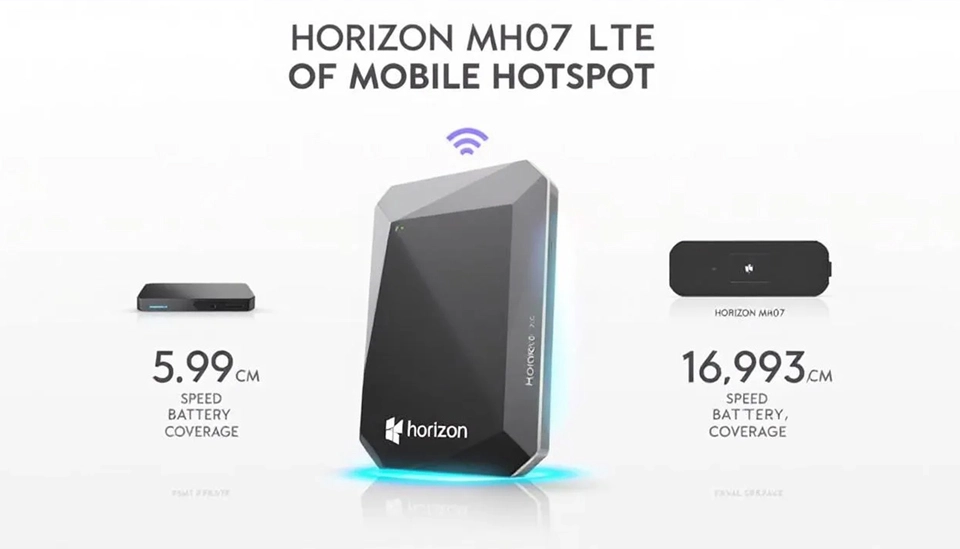
Some aspects are even more significant when contrasting the Horizon MH07 LTE MiFi Hotspot with other hotspots:
- Amazing download speeds
- Long battery life, placing it as a leading device in its category
- Sleek form factor
Support for up to eight devices at once, providing superior portability and convenience.
Compared to best-selling Netgear models such as the Nighthawk M1, the Horizon MH07 provides equal connectivity and mobility but usually in the form of longer battery life and an even slimmer build, perfect for travellers.
The MH07 enables you to purchase data plans through convenient, prepaid plans, selecting how much data you want beforehand and without long-term contracts—ideal for travelling overseas or occasional use. There are also special deals or promotions for the MH07 available, making the phone value-for-money and affordable to those who want it.
Purchasing a high-end hotspot like the Horizon MH07 can be more cost-effective in the long run, thanks to good data plan rates and strong performance. Considering speed, battery life, portability, and price, the Horizon MH07 outperforms most other hotspots in the market.
Frequently asked questions
Q1. How many devices does the Horizon MH07 LTE MiFi Hotspot accommodate at once?
The Horizon MH07 LTE MiFi Hotspot accommodates a maximum of eight devices at one time, which is enough for group travel or multiple-device utilization.
Q2. How much will the battery life be on the Horizon MH07 LTE MiFi Hotspot?
Horizon MH07 LTE MiFi Hotspot provides 10 to 12 hours of non-stop usage with its user-replaceable 3700mAh Li-ion battery.
Q3. Does Horizon MH07 LTE MiFi Hotspot accept external antennas?
Yes, the Horizon MH07 LTE MiFi Hotspot accepts external TS-9 antennas to be used for best signal reception and connectivity in poor coverage areas.
Q4. What network modes is the Horizon MH07 LTE MiFi Hotspot compatible with?
Horizon MH07 LTE MiFi Hotspot also supports TDD-LTE and FDD-LTE network modes to ensure maximum performance. It is, therefore, in a position to adapt well to different network environments.
Q5. What guarantee and customer care is there with the Horizon MH07 LTE MiFi Hotspot?
Horizon MH07 LTE MiFi Hotspot is accompanied by a one-year limited warranty for manufacturing defects, as well as professional customer support during installation and technical services.
Final thoughts: Why MH07 ensures continuous road connectivity
Overall, the Horizon MH07 LTE MiFi Hotspot is a great product that provides consistent, high-speed internet connection while on the move. With its cutting-edge features, such as WiFi 6 technology and multi-device capability, the Horizon MH07 LTE MiFi Hotspot is the best option for travellers, remote workers, and anyone requiring secure connectivity. Its battery life and compact size make it more portable, so you can remain connected when you are moving around.
No matter if you work from a virtual office, are on the road for business or are taking a vacation trip, Horizon MH07 offers the secure and rapid connectivity you need. With its great performance, simple setup, and overall customer support, this cellular hotspot is a smart purchase for anyone who needs to stay connected in the modern age. Experience the bliss of uninterrupted internet with the Horizon MH07 LTE MiFi Hotspot and transform your travelling life.
Learn more about Why MH07 Ensures Continuous Road Connectivity here.
Related Posts
Mobile Hotspots for Hotels – Reliable Internet Solutions
Best Mobile Hotspot For Road Trip (Cars, RVs, Buses)
Wifi Hotspot For Events (Weddings, Festivals, Fairs)
Best Mobile Hotspots for Trade Shows & Exhibitions
Best Mobile Hotspot for Working Space – Fast & Secure Internet
Why MH07 Is Perfect for Remote Work Travelers and Digital Nomads
Stay Connected Everywhere: How MH07 MiFi Boosts Mobile Internet Access
MH04 vs Public WiFi: Speed and Security Where It Matters the Most
Why MH04 Is Your Ultimate Travel LTE Companion
Why MH500C is Ideal for Seamless Remote Work and Mobile Offices
Mobile Hotspot vs Phone Tethering – Why MH07 is the Way to Go
How MH500C Powers Real-Time Edge Communications