

Introduction: Not all 5G outdoor routers are created equal
You’ve decided it’s time to put an outdoor 5G Router to work for your business—smart move. But take one look online and it’s a real jungle—endless brands, technical specs everywhere, and marketing jargon promising you the moon. If you jump in without a solid plan, you’re likely to end up with a router that’s just not up for the job. That’s why a 5G Outdoor Router Buying Guide is essential before making your decision.
Here’s the reality: cheap consumer routers just won’t survive outside, day in and day out. Choose the wrong one, and you’re signing up for network downtime, expensive replacements, and all the headaches that come with tech failures.
That’s why this guide exists. We’ve pulled from real-world deployments and industry standards to lay out the 10 key things you absolutely need to check before you hand over your hard-earned money. Whether you’re wiring up a mining site, a university campus, a smart factory, or a remote construction project, this checklist will save you time—and maybe even your network.
And yes—the Horizon Powered 25105G hits all these points, just for the record.
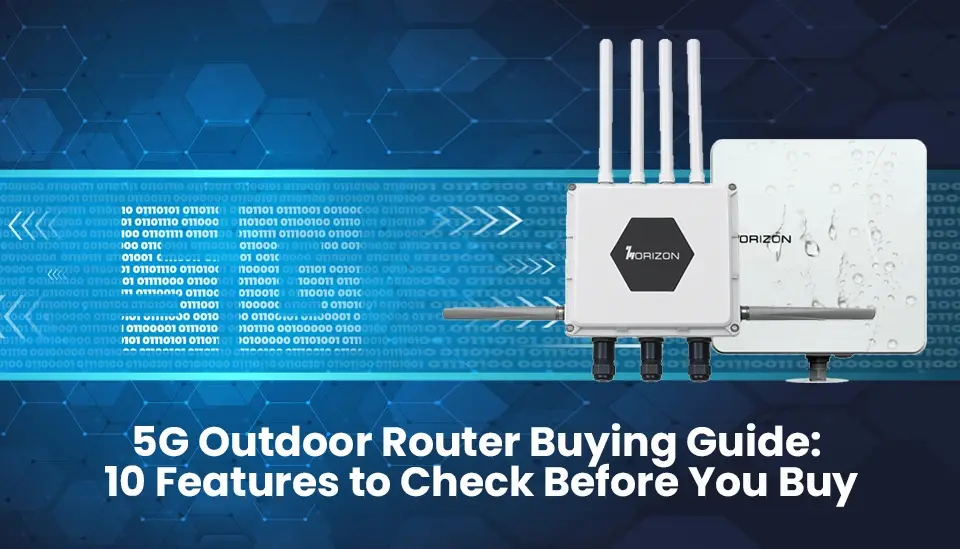
IP Rating: Your first dealbreaker
Start here, every time: the IP rating (Ingress Protection). This code tells you how tough the device is against dust and water.
- IP65: Will stand up to some rain, but don’t count on it for serious outdoor work.
- IP66: Good rain resistance, okay for spots with some cover.
- IP67: Totally dustproof, and you can submerge it up to a meter deep for half an hour. This is the baseline for real outdoor and industrial sites.
- IP68: Takes even more water and pressure—think extreme conditions.
For construction, mining, oil and gas, or any rugged outdoor use, don’t even look at anything less than IP67. The Horizon Powered 25105G? It’s got an IP67-rated aluminum case, so it shrugs off dust, big storms, or industrial sprays like nothing.
Oh, and while you’re checking, look at what the housing is made of. Aluminum cools better and handles vibration far longer than any old plastic.
5G band support: Make sure it actually works where you need it
Not every 5G device works on every network. Carriers use different frequency bands around the world—and if your router doesn’t match, you get no signal. No signal means no work gets done.
A solid outdoor router will cover:
Sub-6 GHz 5G NR bands (n41, n77, n78, n79)—these really matter for range and building penetration
- mmWave (n257, n258, n260, n261)—if you need city-grade speeds in tight areas
- FDD-LTE and TDD-LTE for fallback to regular 4G
- CBRS Band 48 (n48)—a must in the US for private LTE/5G networks
- The 25105G checks these boxes: it has a huge global band list, covers CBRS, and has full LTE fallback. You’re good to go just about anywhere.
Operating temperature range: Will it survive where you work?
Consumer routers might handle 0°C to 40°C—fine for a desk, useless outside. Out in the real world, you get both extremes:
- Blazing sun on a desert site, 50°C plus
- Arctic jobs where the mercury dives well below freezing
- Salty air and howling winds on offshore rigs
If your router isn’t rated for -20°C to +70°C (at minimum), you’re asking for failure. The 25105G? Runs safely from -30°C to +75°C. Heatwaves, freezing winters, salty mist—it just keeps going.
5G Speed and throughput: Match it to the job
Speeds vary, and not every job needs gigabits, but you should know what you’re getting:
- Up to 1 Gbps: Great for sensor data, basic monitoring, email
- 1–2 Gbps: HD video streams, cloud-based business apps, bigger IoT networks
- 2–4 Gbps: Multiple 4K cameras, real-time robotics, AI analytics
The Horizon 25105G hits up to 4 Gbps—top-end for industrial use. Enough headroom for big applications now, so your network won’t get choked as you expand.
Dual SIM & WAN Failover: Keep that connection alive
Downtime isn’t acceptable. One carrier, even the best, will eventually go down: maybe for maintenance, maybe for who knows what.
That’s why dual SIM still matters. You want:
- Two live SIMs from different carriers
- Automatic switch when one drops out
- The option to add a wired WAN for triple redundancy
25105G gives you dual SIM slots and 5G/wired WAN failover. That’s peace of mind, especially for remote or critical operations where every minute of downtime costs real money.
PoE+ Power output: Don’t forget installation matters
Lots of buyers overlook this—until it’s too late. Power over Ethernet Plus (PoE+) lets you run both power and data over the same cable to gear like:
- IP cameras
- Weather or environmental sensors
- Extra Wi-Fi access points
No PoE+? You’re running extra cables, racking up costs, and giving yourself more ways for things to go wrong. 25105G supports up to 60W of PoE+ on two LAN ports—enough to make it a real, practical field hub.
VPN protocol support: Lock your data down
Outdoor routers on industrial networks carry sensitive info—machine telematics, safety alerts, proprietary data. Sending any of that unsecured is just a bad idea.
You want enterprise VPN standards:
- IPSec (the go-to for site-to-site tunnels)
- OpenVPN (flexible, easy to set up)
- WireGuard (newer, fast, great for IoT)
- Legacy support (PPTP/L2TP, GRE) when you need it
25105G supports all of them, plus DMVPN for complex, multi-site jobs. Combined with built-in IP/MAC filtering, it’s ready for even the strictest security environments.
Cloud-Based management: Don’t chase your routers around sites
It’s easy to manage one router in the field. Scale up to a dozen, or a hundred, over multiple sites, and things get complicated—fast.
Look for:
- A single dashboard for all your routers
- Remote updates and security patches
- Real-time health checks and alerts
- SD-WAN and traffic controls
The 25105G works with Horizon DMS Cloud Management, handling all these. Let IT run everything from their desks, cut out travel to remote sites, and streamline your network operations.
Wi-Fi standard and coverage: The on-site experience matters
Great 5G is useless if your local Wi-Fi can’t keep up. What to check:
- Wi-Fi 5 (802.11ac): Dual-band, solid, proven
- Wi-Fi 6 (802.11ax): Faster, more efficient in busy environments, lower lag
- MIMO antennas: More streams, better coverage
The 25105G ships with Wi-Fi 5 (2×2 MIMO) now and can be upgraded to Wi-Fi 6 (1×1 MIMO) later. So you’re ready for today, and set for tomorrow if demands grow.
Build quality and mounting flexibility: Not all installs are the same
Let’s be honest: outdoor routers need to take a beating and keep working, wherever you stick them—poles, towers, machinery, fences, or walls.
Things to look for:
- Aluminum cases (not just cheap plastic)
- Options for pole, wall, or rack mounts
- Antenna flexibility (external SMA connectors)
- A hardware watchdog (auto-reboots the system if it ever hangs)
The 25105G ticks all these boxes. Military-grade aluminum, external SMA connectors, and its own watchdog circuit for those ‘in case of emergency’ moments. It’s built for the rough stuff, right out of the box.
Conclusion: Your checklist. Your choice.
Buying an outdoor 5G router isn’t about chasing the lowest price or the shiniest brand name. It’s about matching the right features to your environment, your mission, and where you want to be a few years from now.
Before you buy, be sure you check:
- IP67 (or better) protection
- Full 5G band support (plus CBRS if you’re in the US)
- Wide temperature range (-30°C to +75°C minimum)
- Multi-gig 5G speeds (2–4 Gbps is ideal for heavy workloads)
- Dual SIM with WAN backup
- PoE+ output
- Full suite of enterprise VPNs
- Cloud management integration
- Wi-Fi 6 support or a clear upgrade path
- Rugged build with flexible mounting
The Horizon Powered 25105G passes every test. It’s built for industries where network downtime just isn’t an option—from energy sites to smart factories to far-flung campuses.
Want to see for yourself? Check out every detail or order online at store.horizonpowered.com. Need a quote for a big rollout? You’ll find the info at horizonpowered.com/contact/request-a-quote.
FAQs
Q1: What is an outdoor 5G router?
An outdoor 5G router is a ruggedized networking device that uses 5G cellular connectivity to provide internet access in outdoor, remote, or industrial environments. Unlike consumer routers, outdoor 5G routers are weatherproof (typically IP67-rated or higher), built to handle extreme temperatures, and engineered for enterprise-grade reliability and security.
Q2: What IP rating do I need for an outdoor 5G router?
For genuinely outdoor or industrial deployments, you should look for a minimum of IP67. This rating means the device is completely dustproof and can withstand submersion in water up to 1 meter for 30 minutes. For mining or offshore deployments, some buyers prefer IP68 devices that are rated for greater water depths.
Q3: What is dual SIM failover on a 5G router?
Dual SIM failover is a feature that allows a router to hold two SIM cards from different carriers simultaneously. If the primary carrier connection drops or degrades, the router automatically switches traffic to the backup SIM — ensuring your network stays online without manual intervention. It is a critical feature for mission-critical industrial operations where downtime is not an option.
Q4: What is CBRS, and do I need a CBRS outdoor router in the USA?
CBRS (Citizens Broadband Radio Service) is a shared spectrum band (3.5 GHz / Band 48) in the USA that allows enterprises to deploy their own private 4G LTE or 5G networks without purchasing licensed spectrum. If your organization wants full control over its wireless network — especially in industries like manufacturing, utilities, or healthcare — a CBRS-enabled outdoor router gives you private carrier-grade performance at a significantly lower cost than traditional spectrum licensing.
Q5: How does cloud management work for outdoor 5G routers?
Cloud management platforms like Horizon DMS allow IT administrators to remotely manage fleets of outdoor 5G routers from a centralized dashboard. This includes pushing firmware updates, applying security patches, configuring network policies, and monitoring real-time device performance — all without needing to send a technician to each physical site. For large-scale enterprise deployments across multiple locations, this capability dramatically reduces operational costs.
Q6: Can an outdoor 5G router replace fiber broadband?
In many remote or temporary deployment scenarios, yes. When fiber is unavailable, cost-prohibitive, or too slow to deploy, an outdoor 5G router provides a viable and often faster alternative. With speeds of up to 4 Gbps on 5G NR, devices like the Horizon Powered 25105G can deliver throughput competitive with — or exceeding — many fixed broadband connections in enterprise environments.
Learn more about 5G Outdoor Router Buying Guide here.
Related Posts
Qualcomm X62 and 5G NR Capabilities: The Performance Driver of IR2005G
Increasing Remote Work Productivity with HZ51’s High-Speed Connectivity
Secure, Reliable, and Fast: What IR2005G Provides to Industrial Networks
Comparing HZ51 with Traditional Routers: A New Era of Internet Access
Dual SIM & Failover: Where IR2005G for Seamless Industrial Networking
Inside the Security Stack: VPN, IPSec, OpenVPN and Firewall IR2005G Features
From GPS to RS485: Flexing to the IR2005G’s Multiple I/O Interfaces
Transforming Home Entertainment with HZ51’s Ultra-Fast Speeds
Smart Homes Made Smarter: Integrating HZ51 for Optimal Performance
Ensuring Reliable Connectivity for Online Learning with HZ51
Bandwidth Control and VLANs: How IR2005G Maximizes Network Control
