

Introduction: Internet on the go
Fast, portable internet isn’t just a bonus anymore—it’s essential. Thanks to 5G and private networks, people rely on internet access from airports, trains, construction sites—you name it. Two tools pop up again and again: 5G USB dongles and mobile hotspots. At first, they sound about the same: both free you from WiFi and broadband. But they’re actually built for very different jobs, and that’s where 5G Dongle vs Mobile Hotspot becomes an important comparison.
Pick the wrong one, and you’ll run into annoying limits, productivity drops, and a whole lot of frustration. Let’s break down what sets dongles and hotspots apart, so you can pick the right tool for how you actually work.
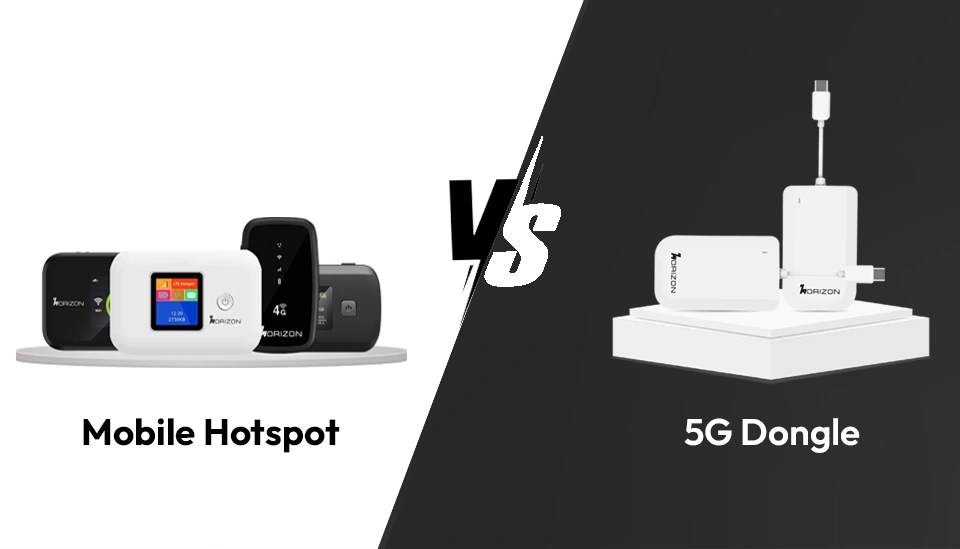
What’s a 5G USB dongle?
A 5G USB dongle looks like a chunky thumb drive. You plug it into your laptop, and boom, you’re online—no fuss, no setup. There’s no battery to mess with. Dongles are built for solo use, and the connection goes straight from the device to the 5G network—no bouncing through WiFi. This means you get lower lag, more reliable speeds, and better security. If you need solid, no-breaks connectivity (think video calls or uploads on the road), a dongle delivers.
What’s a mobile hotspot?
A mobile hotspot is like a pocket-sized WiFi router with a SIM card. It taps into a cellular signal and creates a little WiFi network you and your friends or coworkers can share. Hotspots support multiple devices—work laptops, phones, tablets, you name it. Battery-powered, they’re great for small teams, families, or pop-up offices. Just keep in mind, everyone connected is splitting the same bandwidth.
Dongle vs hotspot: The real differences
How they connect
- Dongle: Direct USB connection to one device.
- Hotspot: Wireless connection, sharing the signal with a bunch of devices at once.
Dongles are all about stability. Hotspots shine when you need flexibility.
Nuber of devices
Dongle: Just one.
- Hotspot: Anywhere from 10 up to 32 devices, sometimes more.
- Need to get a team online? Hotspot wins.
Portability & use
- Dongle: Tiny, no cables, no battery. Plug in and go.
- Hotspot: Still portable, but you’ll need to keep it charged.
- Dongles are perfect if you pack light; hotspots suit teams or groups.
Speed & performance
- Both use 5G, but performance isn’t always the same.
- Dongle: Dedicated to you—faster and more consistent.
- Hotspot: Shared connection; more users can mean slower speed.
- When every megabit counts, dongles have the edge.
- Power
- Dongle: Pulls juice from your laptop.
- Hotspot: Runs on its own battery. Needs charging.
- Long work session? A dongle’s simplicity is hard to beat.
Security
- Dongle: Direct line—less chance of outsiders getting in.
- Hotspot: You need to manage passwords and keep freeloaders out.
- Handling sensitive data? Dongles feel safer.
CBRS: A quick look
CBRS (Citizens Broadband Radio Service) is shaking up private wireless. The FCC lets companies use their own slice of spectrum—meaning less congestion, better speed, extra security, and more reliable performance even in remote places. Both dongles and hotspots can use CBRS, but which works best totally depends on what you need.
When should you use each?
Remote Work & Freelancers
Best: 5G dongle
- You get steady video calls, no hunting for a power outlet, and less to carry.
- Business Teams & Field Operations
Best: Hotspot
Connect everyone on the team and all their devices with one device.
Travel & mobility
- Dongle: Easy to carry, perfect if it’s just you.
- Hotspot: Great for group trips, keeping everyone online at once.
Rugged & industrial sites
- Dongle: Technicians or engineers needing a solid solo connection.
- Hotspot: Whole teams at construction sites, remote projects, or logistics hubs.
IoT& smart systems
Hotspot takes this, keeping multiple sensors or smart gadgets online at the same time.
Quick pros and cons
5G Dongle
Pros:
- آust plug it in and go—no setup.
- No battery to worry about.
- More secure, thanks to direct connection.
- Speeds stay consistent.
Cons:
- Only one device at a time.
- No WiFi sharing.
Mobile hotspot
Pros:
- Connects loads of devices.
- New models support fast WiFi 6.
- Great for group use.
Cons:
- Needs regular charging.
- A bit bulkier and less pocket-friendly.
- Speed drops the more devices connect.
Real world scenarios
Video calls:
- Dongle keeps things smooth and stable, even on the move.
- Hotspot works, but too many people can mean shaky video.
File Transfers:
- Dongle is faster—no sharing required.
- Hotspot slows down as more people log in.
Team collaboration:
- Dongle doesn’t make sense.
- Hotspot is made for this.
How to decide
Ask yourself:
- How many devices do you need to connect? (One = Dongle. More = Hotspot.)
- Traveling light or need flexible group access? (Just you = Dongle. Groups = Hotspot.)
- Is security a must? (Very important = Dongle.)
- Working alone or with a team? (Alone = Dongle. With others = Hotspot.)
Conclusion: What’s the right pick for you?
There’s no single answer. If you’re after simplicity, strong security, and fast speeds for one device, go for a 5G dongle. If you need to connect a bunch of people or gadgets, want more flexibility, or you’re setting up a temporary office, hotpot’s the answer.
Bottom line?
Dongle = Personal productivity
Hotspot = Keeping everyone connected
FAQs (Featured Snippet Optimized)
Q1. What is the main difference between a dongle and a hotspot?
A dongle connects directly to one device, while a hotspot creates a WiFi network for multiple devices.
Q2. Which is faster: dongle or hotspot?
Dongles are often faster for single-device use because they provide dedicated bandwidth.
Q3. Can a dongle replace a mobile hotspot?
No, dongles are limited to one device and cannot share internet like hotspots.
Q4. Is a hotspot better for business use?
Yes, especially for teams or environments requiring multiple device connections.
Q5. Do dongles require charging?
No, they draw power directly from the connected device.
Learn more about 5G Dongle vs Mobile Hotspot here.
Related Posts
Mobile Hotspots for Hotels – Reliable Internet Solutions
Best Mobile Hotspot For Road Trip (Cars, RVs, Buses)
Wifi Hotspot For Events (Weddings, Festivals, Fairs)
Best Mobile Hotspots for Trade Shows & Exhibitions
Best Mobile Hotspot for Working Space – Fast & Secure Internet
Why MH07 Is Perfect for Remote Work Travelers and Digital Nomads
Stay Connected Everywhere: How MH07 MiFi Boosts Mobile Internet Access
MH04 vs Public WiFi: Speed and Security Where It Matters the Most
Why MH04 Is Your Ultimate Travel LTE Companion
Why MH500C is Ideal for Seamless Remote Work and Mobile Offices
Mobile Hotspot vs Phone Tethering – Why MH07 is the Way to Go
How MH500C Powers Real-Time Edge Communications
