

Introduction
That’s where the I282 LTE Indoor Router proves itself. It’s built to give you fast, stable, and secure wireless internet—even if the nearest cable company barely knows your address. With LTE CAT 11 speeds, VoLTE calls, automatic failover, and support for a pile of devices at once, it’s a workhorse for anyone working from home or out of the office. Let’s look at what sets the I282 apart for WFH setups and remote professionals.
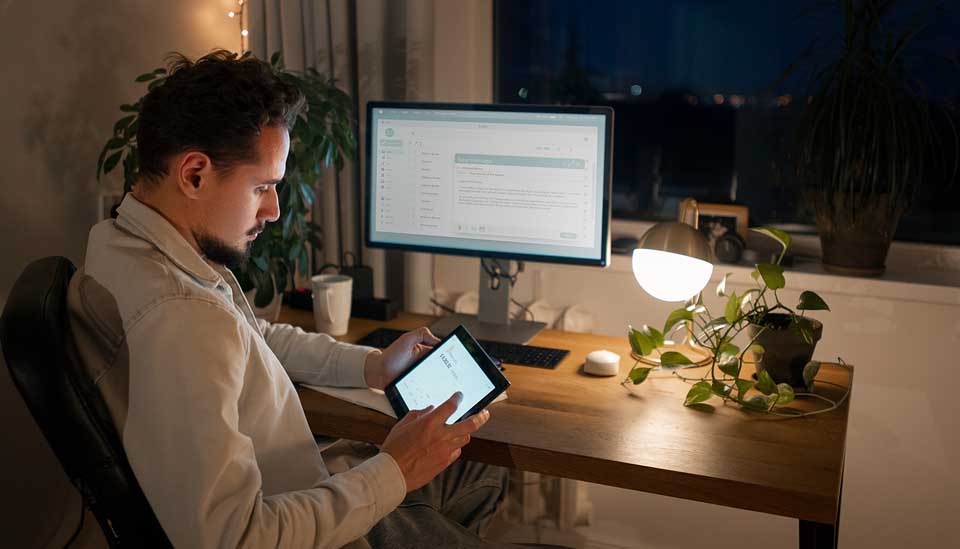
Common headaches for remote workers
Here’s the reality: working from home comes with its own set of connectivity hassles:
- Internet drops or freezes at the worst times
- Not much service if you live outside the city
- Everything slows to a crawl when everyone’s online after dinner
- Public Wi-Fi can be a security nightmare
- Trying to connect all your gadgets, but not enough bandwidth to go around
These hassles kill productivity, screw up communication, and sometimes mean you miss out on big things. A solid LTE router like the I282 helps you skip these frustrations entirely.
Blazing LTE speeds for real work
Inside the I282 is LTE Category 11 tech, which means you get:
- Up to 600 Mbps download
- Up to 50 Mbps upload
You’ll notice the difference when:
- You’re on video calls that don’t freeze or pixelate
- Files upload and download quickly—no more waiting around
- Cloud apps work like they should, no hiccups
- You can stream a presentation and it just works—no buffering
So, whether you’re running Zoom, Teams, or managing files on a CRM, this router keeps up.
go online almost anywhere
One thing the I282 really nails is working without needing a traditional internet line. Why’s that a big deal?
- It actually works out in rural areas where big providers don’t reach
- Doesn’t care if you have fiber or DSL
- Uses SIM-based LTE networks you can get almost anywhere
- Just pop in a SIM and hit the power—no technician, no hassle
You’re up and running in minutes, not days.
Connect everything—Up to 32 devices
Let’s face it, nobody just uses a laptop anymore:
- Phones, tablets, smart TVs, even smart lights and thermostats—everything wants Wi-Fi.
The I282 lets you connect up to 32 devices at once. That means:
- Your whole family can work or study without fighting over the connection
- Small teams don’t slow each other down
- Every device gets a fair shot at the network
- No one suddenly drops off a meeting or class
You get one hub that keeps everything online and moving fast.
Built-In VoLTE for phone calls that don’t suck
Communication still matters, even in 2024. The I282 has VoLTE, so you can:
- Hook up an old-school phone right to the router
- Make voice calls over LTE that sound clear
- Use features like call waiting and conference calling
Having one device that covers internet and phone is easy—and it means you can skip clunky, separate systems.
Never let outages stop you
If your work depends on being connected, outages are a nightmare. Here’s where the I282 steps up:
- Plug it into wired broadband
- If that goes down, it jumps straight to LTE—automatically
- You never lose your connection or have to scramble for a hotspot
That’s business continuity with zero stress.
Strong signals everywhere at home
Dead zones in your house? The I282 comes with:
- 2 big external LTE antennas
- 2 external Wi-Fi antennas
You get:
- Strong coverage across the whole place—even through stubborn walls
- Fewer dropped connections, less interference
- A signal that reaches wherever you want to work
So, office, living room, porch—take your pick.
Security that actually protects you
Nobody likes worrying about hackers or nosy neighbors stealing your data. The I282 guards you with:
- Professional WPA/WPA2 encryption
- Firewall right on the device
- MAC filtering so you control what connects
- Guest network—you decide who gets in
It keeps your work and personal info private, way safer than any café Wi-Fi.
Smart, simple network management
Don’t want to fiddle with tech details? No worries. The I282 uses DMS (Device Management System):
- Remote management with TR-069
- Push updates wirelessly (FOTA)
- See what’s connected and troubleshoot from a web-based interface
You can keep the network in shape, handle problems quickly, and focus on work—not on rebooting routers.
Always prioritize what matters with QoS
The I282 has smart Quality of Service (QoS) features so you can:
- Make sure video calls always get enough speed, even if someone’s downloading a huge file
- Balance bandwidth without micro-managing settings
- Keep everything running smoothly, especially when you’re multitasking
Video chats, streaming, uploading, and downloading—it all just works.
Who needs the I282?
Honestly, this router fits a ton of situations:
- Work-from-home pros: Trusty for meetings, secure for sensitive jobs
- Remote workers way outside the city: Go online without old-line broadband
- Freelancers, digital nomads: Easy to pack, works wherever you need it
- Small/home offices: Handles all your devices, covers phone calls
- As a backup: Keeps things rolling when your main internet fails
Final thoughts
Remote work needs internet you can trust—fast, flexible, and safe. The I282 LTE Router delivers, with top speeds, huge coverage, and features that matter day to day. Whether you’re managing a business from the kitchen table or working miles from the city, the I282 makes sure your work never skips a beat.
If you want to end connection headaches for good, check out the I282 LTE Router, and see what it’s like to work—really work—wherever you are.
FAQs
Q1. What makes the I282 ideal for remote work?
The I282 offers high-speed LTE, strong coverage, multi-device support, and failover protection, making it reliable for WFH setups.
Q2. Can I use the I282 without broadband?
Yes, it works with a SIM card, eliminating the need for fixed broadband connections.
Q3. How many devices can it support?
The router supports up to 32 devices simultaneously without compromising performance.
Q4. Is the I282 secure for work use?
Yes, it includes advanced security features like WPA2 encryption, firewall protection, and guest networks.
Q5. Does it support voice calls?
Yes, with VoLTE support, you can connect analog phones and make high-quality calls.
Learn more about LTE Router for Remote Work and WFH Setups here.
Related Posts
Qualcomm X62 and 5G NR Capabilities: The Performance Driver of IR2005G
Increasing Remote Work Productivity with HZ51’s High-Speed Connectivity
Secure, Reliable, and Fast: What IR2005G Provides to Industrial Networks
Comparing HZ51 with Traditional Routers: A New Era of Internet Access
Dual SIM & Failover: Where IR2005G for Seamless Industrial Networking
Inside the Security Stack: VPN, IPSec, OpenVPN and Firewall IR2005G Features
From GPS to RS485: Flexing to the IR2005G’s Multiple I/O Interfaces
Transforming Home Entertainment with HZ51’s Ultra-Fast Speeds
Smart Homes Made Smarter: Integrating HZ51 for Optimal Performance
Ensuring Reliable Connectivity for Online Learning with HZ51
Bandwidth Control and VLANs: How IR2005G Maximizes Network Control
