

Introduction:
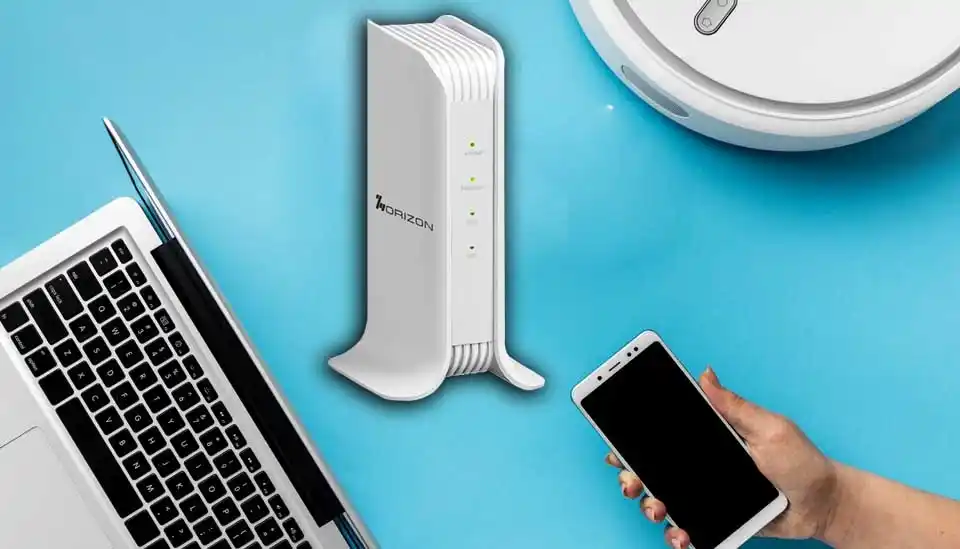
Internet usage has changed dramatically. Homes now run dozens of connected devices. Offices rely on cloud platforms. Streaming quality has jumped to 4K and 8K. Gaming requires ultra-low latency. Smart homes are always online. Why HW700BE Is the Ideal WiFi 7 Upgrade becomes clear in this environment, where faster speeds, lower latency, and stronger multi-device performance are no longer optional but essential.
If your current router is slowing things down, dropping signals, or struggling under load, upgrading to WiFi 7 isn’t just smart — it’s necessary.And when it comes to practical, future-ready upgrades, the Indoor Routers HW700BE WiFi 7 Router stands out as the ideal choice.
Let’s explore why.
The WiFi Upgrade Problem: Why Older Routers Fall Behind
Most households and small businesses are still using WiFi 5 or WiFi 6 routers.
While those standards were solid in their time, they now face limitations:
- Congestion in high-density areas
- Bottlenecks at 1G ports
- Limited multi-device handling
- Dead zones in larger spaces
- Inconsistent performance during peak usage
According to the Wi-Fi Alliance, WiFi 7 (IEEE 802.11be) is designed specifically to address bandwidth demand and device density challenges.
That’s where HW700BE becomes the perfect next step.
True WiFi 7 Performance (BE3600 Speeds)
The HW700BE delivers up to 3600Mbps dual-band performance (2.4GHz + 5GHz).
This means:
- Faster downloads
- Smoother 4K/8K streaming
- Reduced gaming latency
- Better video conferencing stability
Unlike older routers, WiFi 7 significantly improves throughput and spectrum efficiency — ensuring performance doesn’t degrade when multiple devices connect simultaneously.
For households with heavy streaming and gaming, or offices running cloud apps all day, this is a noticeable upgrade.
Multi-Link Operation (MLO): Stability Like Never Before
One of WiFi 7’s biggest breakthroughs is Multi-Link Operation (MLO).
Traditional routers force devices to choose a single band.
HW700BE allows devices to connect across multiple bands simultaneously.
The result?
Lower latency
More stable connections
Reduced packet loss
Improved performance in crowded networks
In apartments, co-working spaces, dorms, and busy households, MLO ensures smooth connectivity where older routers fail.
Multi-Gig Connectivity with 2.5G Ports
Here’s a major reason HW700BE is the ideal upgrade:
It includes:
- 1 × 2.5G WAN port
- 1 × 2.5G LAN port
- 3 × Gigabit LAN ports
Many ISPs now offer multi-gig internet plans, but traditional 1G routers create bottlenecks.
With HW700BE, you can:
- Fully utilize high-speed fiber
- Connect gaming PCs directly at 2.5G
- Link to NAS storage systems
- Support high-bandwidth workflows
For small businesses, this ensures internal file transfers and server connections remain fast and efficient.
Built for High-Density Environments
Modern networks aren’t just about speed — they’re about device management.
HW700BE integrates:
- MU-MIMO
- OFDMA
- Qualcomm Quad-Core CPU
- 4 Internal High-Performance Antennas
These technologies allow:
- Dozens of devices to connect simultaneously
- Efficient bandwidth distribution
- Reduced congestion
- Improved per-device performance
Whether it’s a smart home filled with IoT devices or a small office running 30+ connected endpoints, the HW700BE handles load gracefully.
Seamless Whole-Home Coverage with EasyMesh
Dead spots are frustrating.
HW700BE supports EasyMesh, allowing users to connect additional compatible routers with one button.
Benefits include:
- Wall-to-wall coverage
- Seamless roaming
- No signal drops when moving between floors
- Unified SSID management
For multi-story homes and larger office spaces, this eliminates the need for complicated extenders.
Enterprise-Level Management in a Consumer-Friendly Router
Most consumer routers lack advanced network management.
HW700BE bridges the gap by supporting:
- TR069
- TR369/XMPP
- SNMP
- Remote firmware updates (FOTA)
This makes it ideal for:
- Small businesses
- Retail locations
- Co-working spaces
- IT-managed multi-site deployments
You get enterprise-grade capabilities without enterprise-level complexity.
Advanced Security for Modern Networks
Cyber threats are growing. Home and business networks must be protected.
HW700BE includes:
- WPA3 encryption
- Firewall protection
- Access control
- IP & MAC binding
- Guest network management
This ensures:
- Secure browsing
- Safe IoT device operation
- Segmented access for visitors
- Protection against unauthorized access
For businesses handling sensitive data, these features are essential.
Smart USB 3.0 Integration
Unlike many routers that serve only one purpose, HW700BE includes a USB 3.0 port.
This enables:
- File sharing via Samba
- Network storage
- Media streaming
- Local backup solutions
It transforms your router into a lightweight digital hub — ideal for small offices or tech-savvy homes.
Green Networking: Performance with Sustainability
Energy efficiency is increasingly important.
HW700BE’s Green Mode:
- Adjusts transmission power
- Optimizes bandwidth use
- Reduces LED output
- Minimizes energy waste
You get high performance while lowering power consumption — perfect for eco-conscious homes and businesses.
Who Should Upgrade to HW700BE?
This router is ideal for:
Smart Homes
- Heavy streaming households
- IoT ecosystems
- Gamers
- Remote workers
Small Businesses
- Offices with multiple employees
- Retail shops
- Co-working spaces
- Multi-location deployments
High-Density Living
- Apartments
- Dormitories
- Shared housing
If your current router struggles during peak hours, buffers during streaming, or slows down when multiple devices connect — this upgrade will be immediately noticeable.
Why HW700BE Stands Out Among WiFi 7 Routers
Brands like TP-Link, ASUS, and Netgear also offer WiFi 7 devices.
But HW700BE delivers:
- Competitive BE3600 speeds
- Dual 2.5G ports
- Enterprise protocol support
- Green networking mode
- EasyMesh expansion
- Business-grade security
All in one balanced solution designed for real-world usage.
The Bottom Line: A Practical, Future-Proof Upgrade
Upgrading to WiFi 7 isn’t about chasing the latest technology.
It’s about:
- Eliminating bottlenecks
- Improving device performance
- Supporting growing bandwidth needs
- Preparing for next-generation applications
With its 3600Mbps speeds, Multi-Link Operation, multi-gig ports, enterprise features, and green efficiency, the HW700BE is not just a WiFi 7 router — it’s a smart investment in future-ready connectivity.
If you’re ready to eliminate lag, expand coverage, and support dozens of devices effortlessly, HW700BE is the ideal WiFi 7 upgrade.
Explore HW700BE today and power tomorrow’s connectivity with confidence.
FAQs
Q1. Is HW700BE better than WiFi 6 routers?
Yes. WiFi 7 provides improved bandwidth efficiency, lower latency, and better multi-device handling compared to WiFi 6.
Q2. Do I need a WiFi 7 router now?
If you use multiple smart devices, stream heavily, or subscribe to gigabit internet, upgrading will improve performance immediately.
Q3. Does HW700BE support multi-gig internet?
Yes. It includes 2.5G WAN and LAN ports for full multi-gig support.
Q4. Is HW700BE suitable for small businesses?
Absolutely. It supports enterprise management protocols and advanced security features.
Q5. Can I expand coverage later?
Yes. With EasyMesh support, you can add compatible mesh nodes for seamless expansion
Learn more about Why HW700BE Is the Ideal WiFi 7 Upgrade here.
Related Posts
Qualcomm X62 and 5G NR Capabilities: The Performance Driver of IR2005G
Increasing Remote Work Productivity with HZ51’s High-Speed Connectivity
Secure, Reliable, and Fast: What IR2005G Provides to Industrial Networks
Comparing HZ51 with Traditional Routers: A New Era of Internet Access
Dual SIM & Failover: Where IR2005G for Seamless Industrial Networking
Inside the Security Stack: VPN, IPSec, OpenVPN and Firewall IR2005G Features
From GPS to RS485: Flexing to the IR2005G’s Multiple I/O Interfaces
Transforming Home Entertainment with HZ51’s Ultra-Fast Speeds
Smart Homes Made Smarter: Integrating HZ51 for Optimal Performance
Ensuring Reliable Connectivity for Online Learning with HZ51
Bandwidth Control and VLANs: How IR2005G Maximizes Network Control
